Example notebook neuralib.segmentation
Below example use api call from the source code, however, cli call are recommended, see the Doc
[1]:
from pathlib import Path

import matplotlib.pyplot as plt

from neuralib.io.dataset import load_example_rois_image
from neuralib.segmentation.cellpose.run_api import CellPoseAPIOption, CellPoseEvalResult
from neuralib.segmentation.stardist.run_2d import StarDist2DOptions, StarDistResult
WARNING:root:openblas_set_num_threads not found
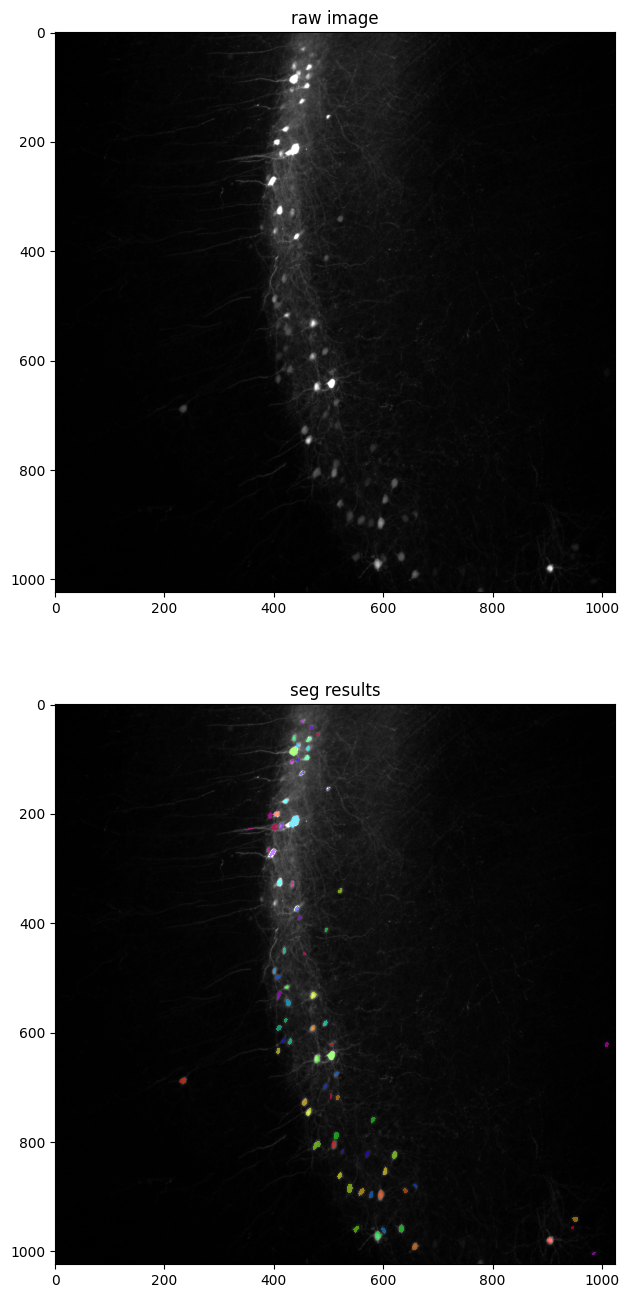
Example of Run StarDist model
See Doc
[2]:
# download example image
img = load_example_rois_image()
tmp = Path('test.png')
plt.imsave(tmp, img)
[3]:
class TestStarDistOptions(StarDist2DOptions):
    file = tmp
    model = '2D_versatile_fluo'


opt_sd = TestStarDistOptions()
opt_sd.eval()
res = StarDistResult.load(opt_sd.seg_output(tmp))

_, ax = plt.subplots(2, 1, figsize=(16, 16))
ax[0].imshow(opt_sd.raw_image(), cmap='gray')
ax[0].set_title('raw image')

ax[1].imshow(opt_sd.raw_image(), cmap='gray')
ax[1].imshow(res.labels, cmap='hsv', alpha=0.5)
ax[1].set_title('seg results')
plt.show()
Found model '2D_versatile_fluo' for 'StarDist2D'.
Loading network weights from 'weights_best.h5'.
Loading thresholds from 'thresholds.json'.
Using default values: prob_thresh=0.479071, nms_thresh=0.3.
 IO       [2024-09-26 23:51:35,854] [run_2d.py]  save stardist results to test.npz
IO:run_2d.py:save stardist results to test.npz
 IO       [2024-09-26 23:51:35,855] [run_2d.py]  Load stardist results from test.npz
IO:run_2d.py:Load stardist results from test.npz
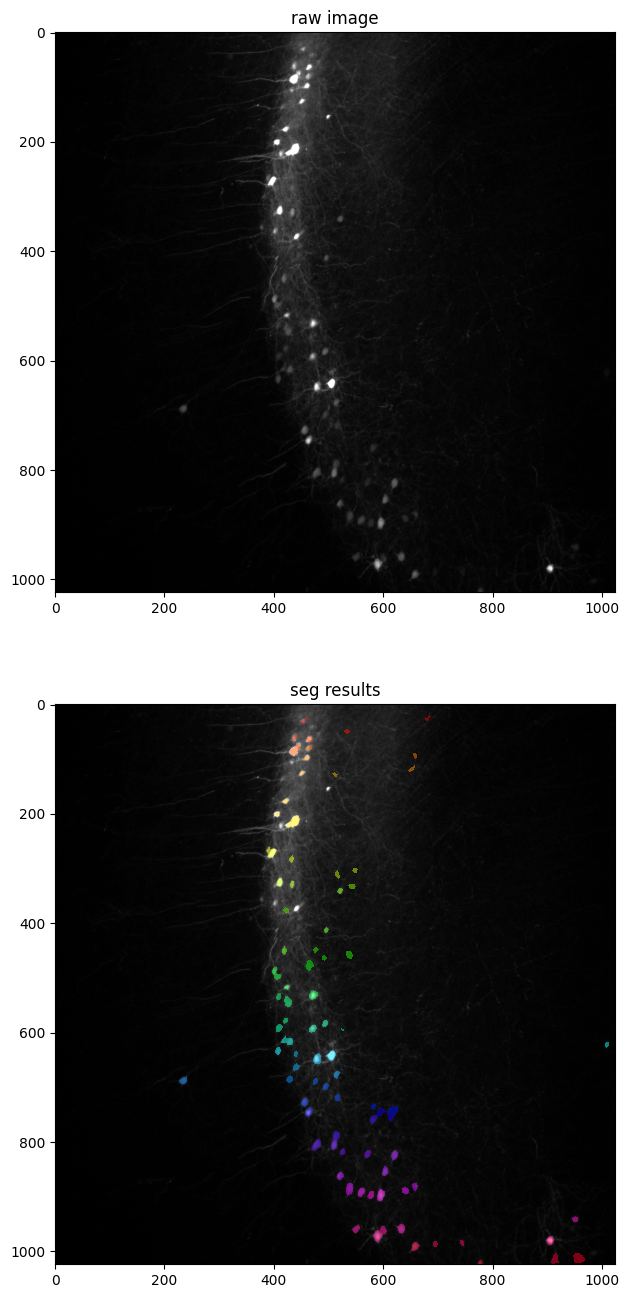
Example of Run Cellpose model
See Doc
[4]:
class TestCellPoseOptions(CellPoseAPIOption):
    file = tmp
    model = 'cyto3'
    diameter = 20


opt_cp = TestCellPoseOptions()
opt_cp.eval()
res = CellPoseEvalResult.load(opt_cp.seg_output(tmp))

_, ax = plt.subplots(2, 1, figsize=(16, 16))
ax[0].imshow(opt_cp.raw_image(), cmap='gray')
ax[0].set_title('raw image')

ax[1].imshow(opt_cp.raw_image(), cmap='gray')
ax[1].imshow(res.nan_masks(), cmap='hsv', alpha=0.5)
ax[1].set_title('seg results')
plt.show()
[PASS][24-09-26 23:51:39] - MPS is available using backend: torch

loading model for chan2: denoise_nuclei
resnet_torch.py (280): You are using `torch.load` with `weights_only=False` (the current default value), which uses the default pickle module implicitly. It is possible to construct malicious pickle data which will execute arbitrary code during unpickling (See https://github.com/pytorch/pytorch/blob/main/SECURITY.md#untrusted-models for more details). In a future release, the default value for `weights_only` will be flipped to `True`. This limits the functions that could be executed during unpickling. Arbitrary objects will no longer be allowed to be loaded via this mode unless they are explicitly allowlisted by the user via `torch.serialization.add_safe_globals`. We recommend you start setting `weights_only=True` for any use case where you don't have full control of the loaded file. Please open an issue on GitHub for any issues related to this experimental feature.
[5]:
# clean the example dataset and output
tmp.unlink()
opt_sd.seg_output(tmp).unlink()
opt_cp.seg_output(tmp).unlink()