Example usage of neuralib.tracking.facemap
[1]:
import matplotlib.pyplot as plt
from scipy.stats import zscore

from neuralib.tracking.facemap import *
from neuralib.tracking.facemap.plot import plot_facemap_keypoints, plot_cmap_time_series
[2]:
%load_ext autoreload
%autoreload
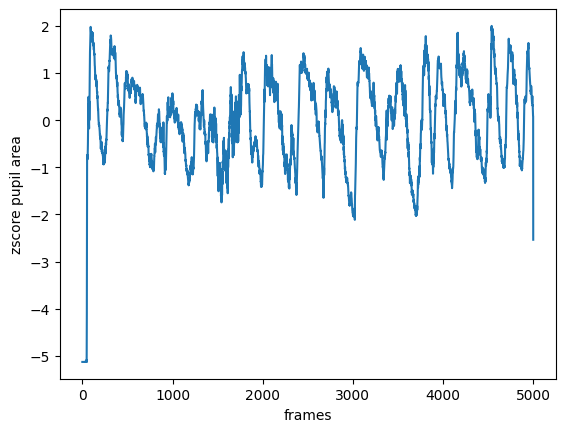
Example of load the pupil area
[3]:
directory = ...  # directory with output *proc.npy
fmap = FaceMapResult.load(directory, track_type='pupil')
area = fmap.get_pupil_area()
area = zscore(area)

plt.plot(area)
plt.xlabel('frames')
plt.ylabel('zscore pupil area')
plt.show()
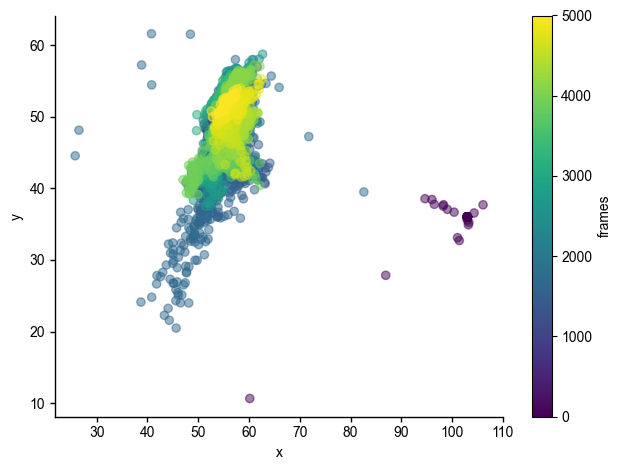
Example of load the pupil location
colormap indicates time frame of tracking
[4]:
xy = fmap.get_pupil_center_of_mass()
plot_cmap_time_series(xy[:, 0], xy[:, 1])
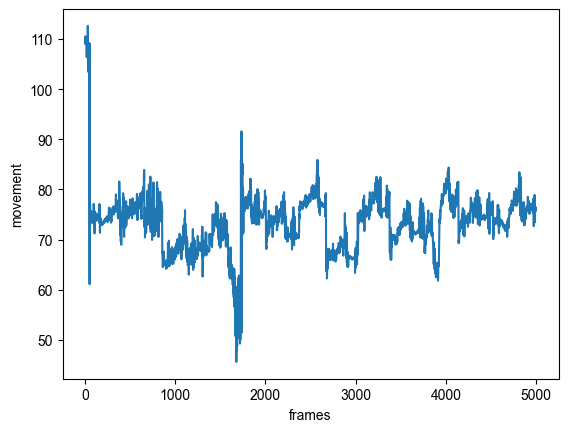
see the movement across frames
[5]:
mov = fmap.get_pupil_location_movement()
plt.plot(mov)
plt.xlabel('frames')
plt.ylabel('movement')
plt.show()
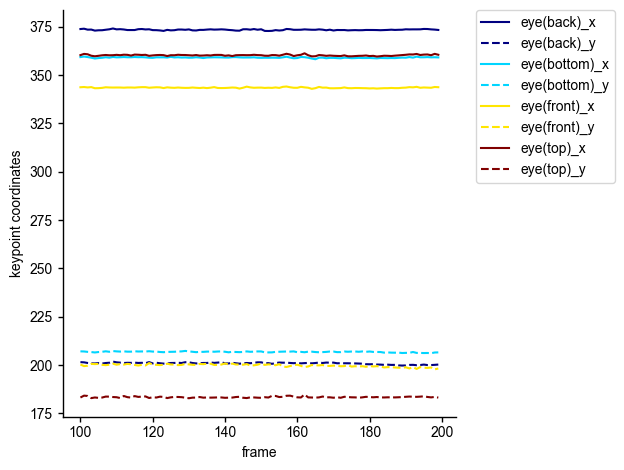
Example of load the keypoints
load 100-200 frames of eye tracking
[6]:
directory = ...  # directory with *.h5 output
fmap = FaceMapResult.load(directory, track_type='keypoints')
plot_facemap_keypoints(fmap, frame_interval=(100, 200),
                       keypoints=['eye(back)', 'eye(bottom)', 'eye(front)', 'eye(top)'])